Download speed
How fast data travels from the internet to your device, measured in Mbps. It drives streaming quality, browsing and how quickly files arrive.
SpeedIQ measures download, upload, ping and jitter with a beautiful real-time gauge — plus deep network diagnostics the others don’t have.
One tap runs a full diagnostic — see exactly how SpeedIQ measures download, upload, ping and jitter in real time against a nearby server.
Read more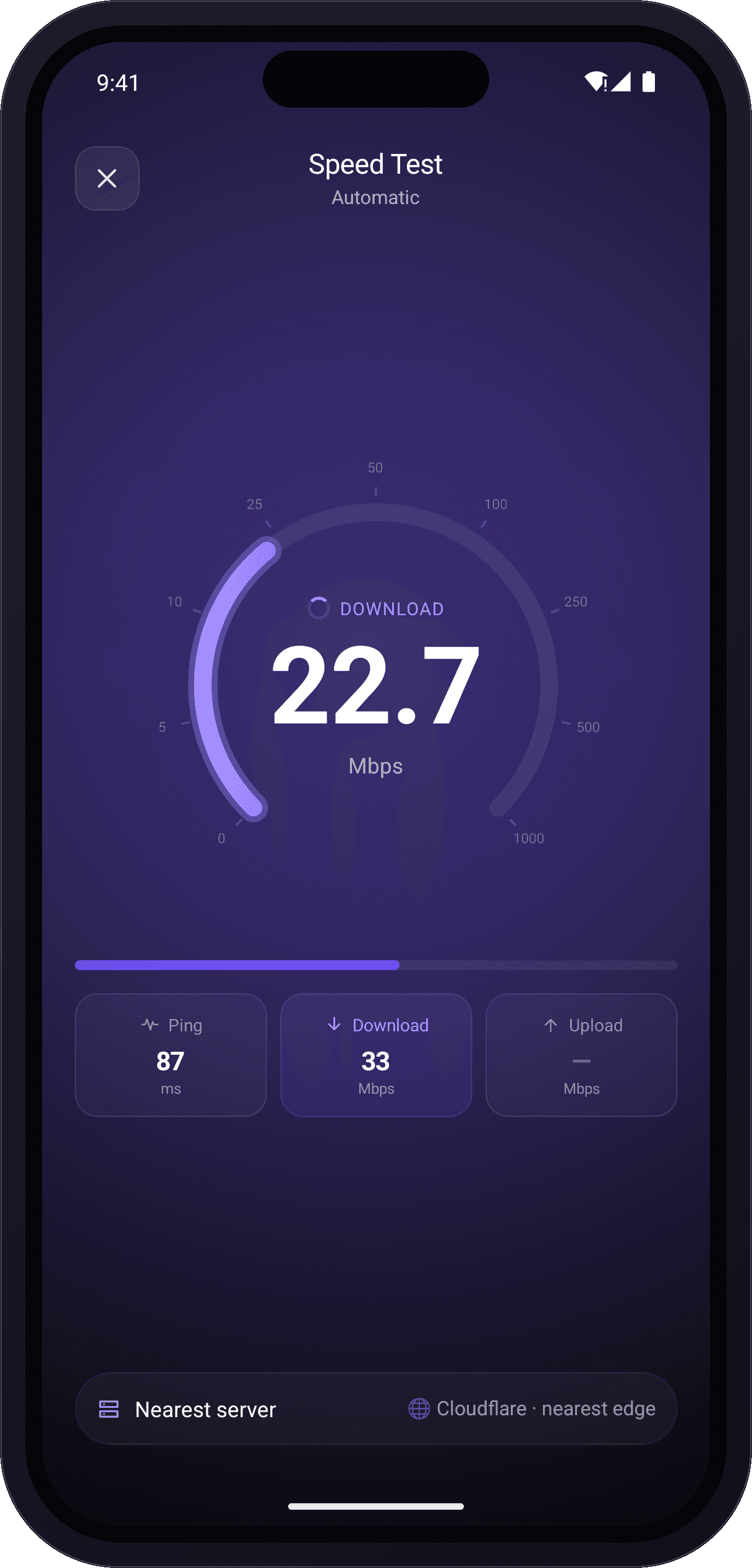
Questions, feedback or partnership ideas? We'd love to hear from you — our team usually replies within one business day.
Email us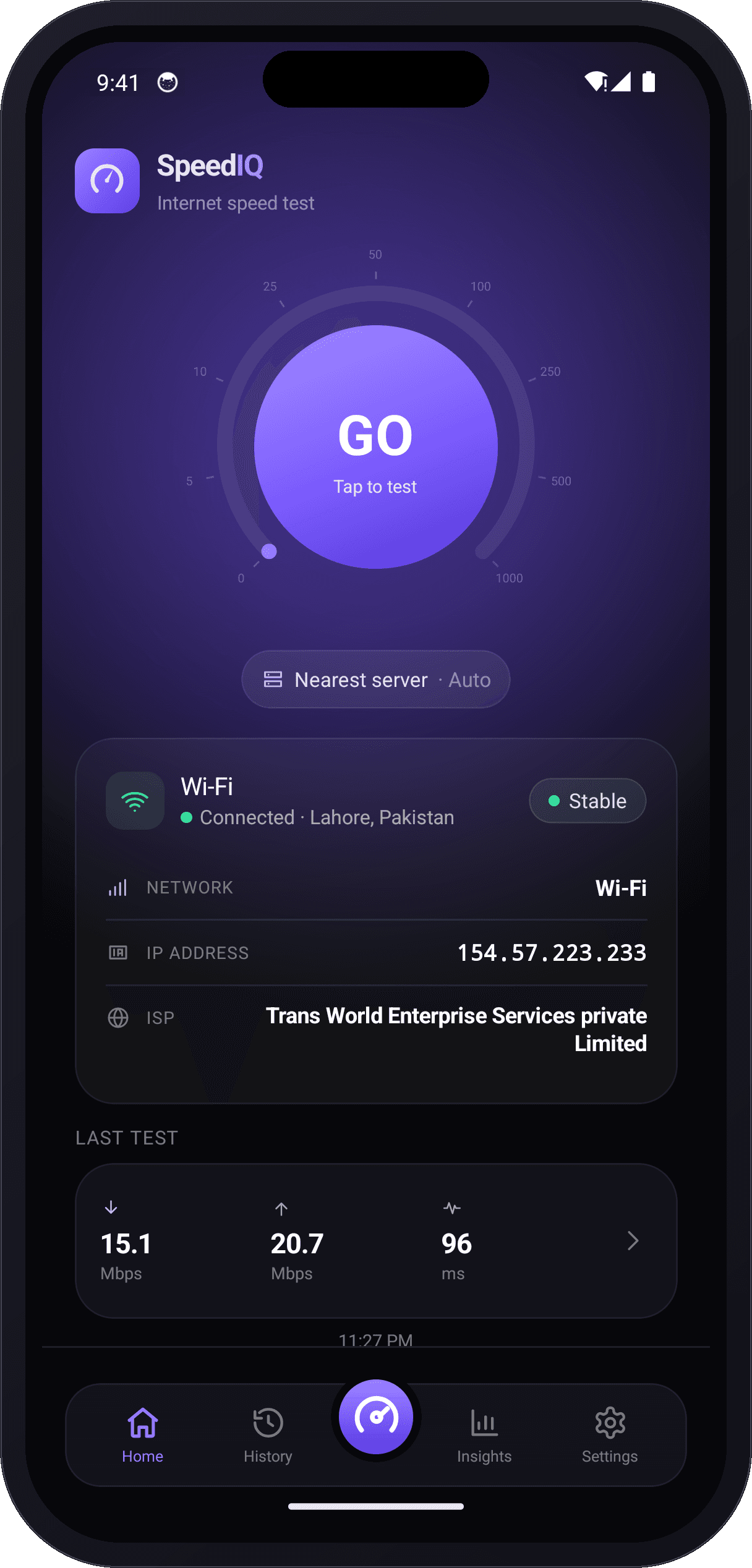
The premium, modern way to test your internet speed and understand your network — built for accuracy, privacy and every device.
Read moreHow fast data travels from the internet to your device, measured in Mbps. It drives streaming quality, browsing and how quickly files arrive.
How fast data travels from your device to the internet. It matters most for video calls, cloud backups and posting photos or video.
The round-trip time for data, measured in milliseconds. Lower ping means a more responsive connection for gaming and live calls.
The variation in ping over time. Low jitter keeps video calls and online games smooth instead of stuttering.
The share of data that never reaches its destination. Even a small amount causes lag, buffering and dropped calls.
Your provider and the test server location shape your results. Testing against a nearby server gives the most accurate reading.
SpeedIQ is a free internet speed test that measures your download speed, upload speed, ping and jitter in seconds. Whether you are on Wi-Fi or mobile data, a single tap runs a full diagnostic against a nearby server and grades your connection so you know exactly what your network can do.
Built for home users, gamers, remote workers and streamers, SpeedIQ turns every test into a clear, accurate result — then keeps a history so you can track performance over time and spot slowdowns before they disrupt your day.
Guides, tips and insights to help you understand, test and improve your internet connection.

Learn how to run an internet speed test you can trust — prep steps, WiFi vs Ethernet, reading all four metrics, and the mistakes that skew results.
Read More
Exact Mbps targets for 4K streaming, online gaming, and video calls — plus simple household math to work out the speed your home really needs.
Read More
Buffering again? These 15 proven fixes — from router placement to QoS and DNS — show you how to boost your home internet speed without paying more.
Read More
Ping, latency, and jitter sound alike but measure different things. Learn what each means in ms, what counts as a good score, and how to lower all three.
Read MoreSimple, proven steps to improve your speed test results before upgrading your plan.
Power-cycling your modem and router clears glitches and is often the fastest fix for a sudden slowdown.
For devices near the router, the 5 GHz Wi-Fi band is faster and less crowded than 2.4 GHz.
Place it central, elevated and clear of walls, metal and microwaves to spread a stronger signal.
An Ethernet cable delivers lower ping and steadier speeds for gaming, calls and large uploads.
Pause big downloads, cloud syncs and idle streams that quietly use up your bandwidth.
Run SpeedIQ at peak and off-peak hours to see whether network congestion is slowing you down.
Recommended download speeds for common online activities. Add headroom when several devices share the connection at once.
One speed test, tuned for every kind of connection and every kind of user.
Confirm you are getting the speed you pay for and keep every room covered.
Track ping, jitter and packet loss for low-lag, competitive online play.
Make sure your connection is ready for video calls, VPNs and cloud tools.
Check you have the headroom for buffer-free 4K and 8K streaming.
Compare 5G and LTE performance wherever you are, on the go.
Run repeatable diagnostics and export detailed reports for any site.
Average real-world download ranges so you can benchmark your result against your connection.
The fastest, most reliable option, usually with symmetric upload.
Widely available with strong download speeds for most homes.
Fast fixed-wireless where fibre and cable are not available.
Phone-line based — dependable for browsing and HD streaming.
Reaches remote areas, with higher latency than wired links.
A speed test exchanges data between your device and a nearby server, then measures how quickly it travels to calculate your download speed, upload speed, ping and jitter in real time.
For most homes, 25-100 Mbps comfortably handles streaming and browsing. Households with many devices or 4K streaming benefit from 200 Mbps or more.
Download speed measures data coming to your device, while upload speed measures data leaving it. Most everyday activities rely on download, but calls and backups need solid upload.
A ping under 50 ms is excellent for online gaming. Between 50 and 100 ms is still playable, while above 100 ms can cause noticeable lag.
Yes. SpeedIQ runs unlimited internet speed tests for free on iOS, Android and Mac with no account or sign-in required.
Wi-Fi interference, distance from the router, peak-hour congestion and older hardware can all pull real-world speeds below your subscribed plan.